
Description
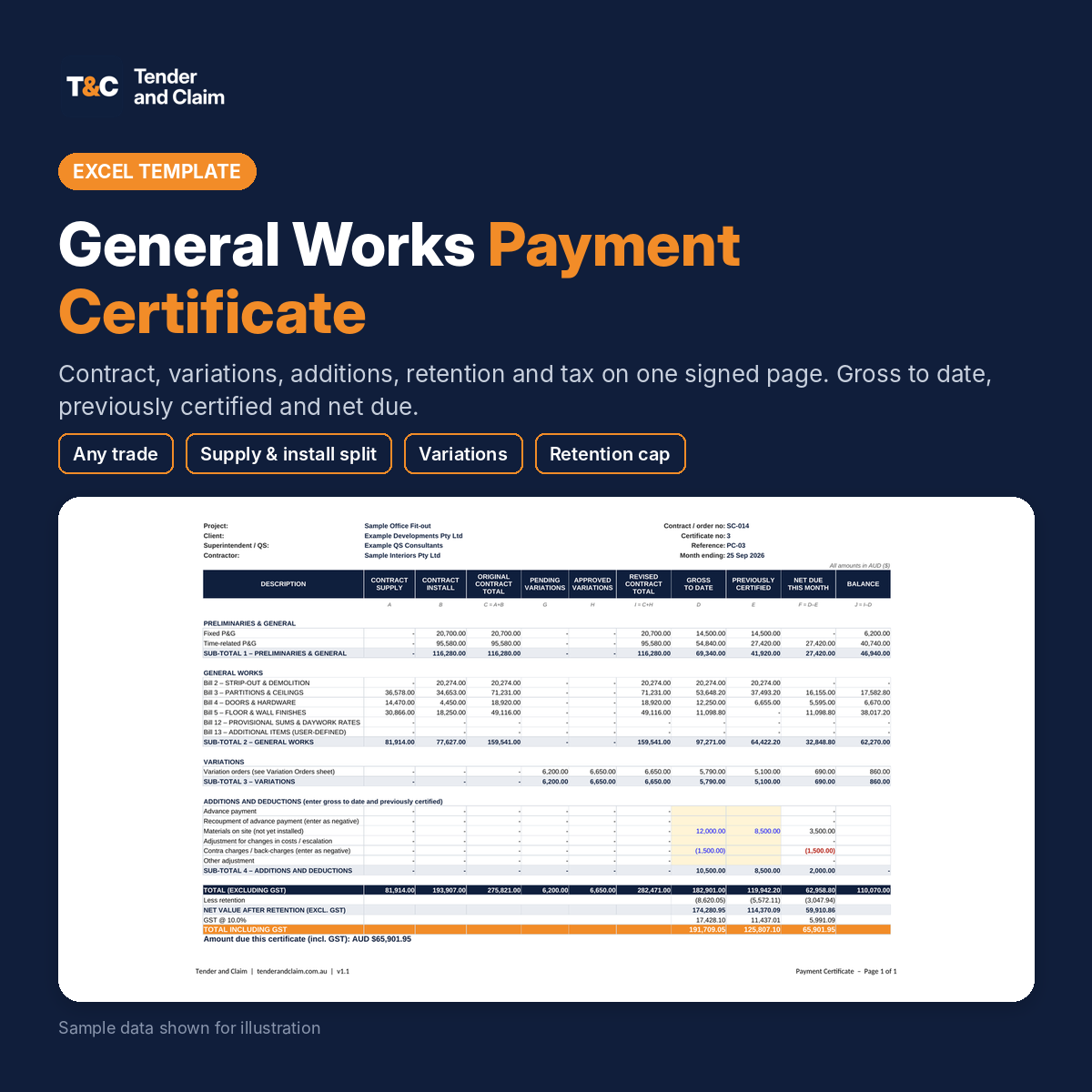
A payment certificate template in Excel for monthly progress claims on any trade or scope: civil, mechanical, plumbing, HVAC, fit-out, building works or anything we don’t yet have a dedicated certificate for. Measure the BOQ line by line, add variations and adjustments, apply retention and tax, and print a one-page certificate ready to sign. Use it as a QS or client to certify a claim, or as a contractor to prepare one.
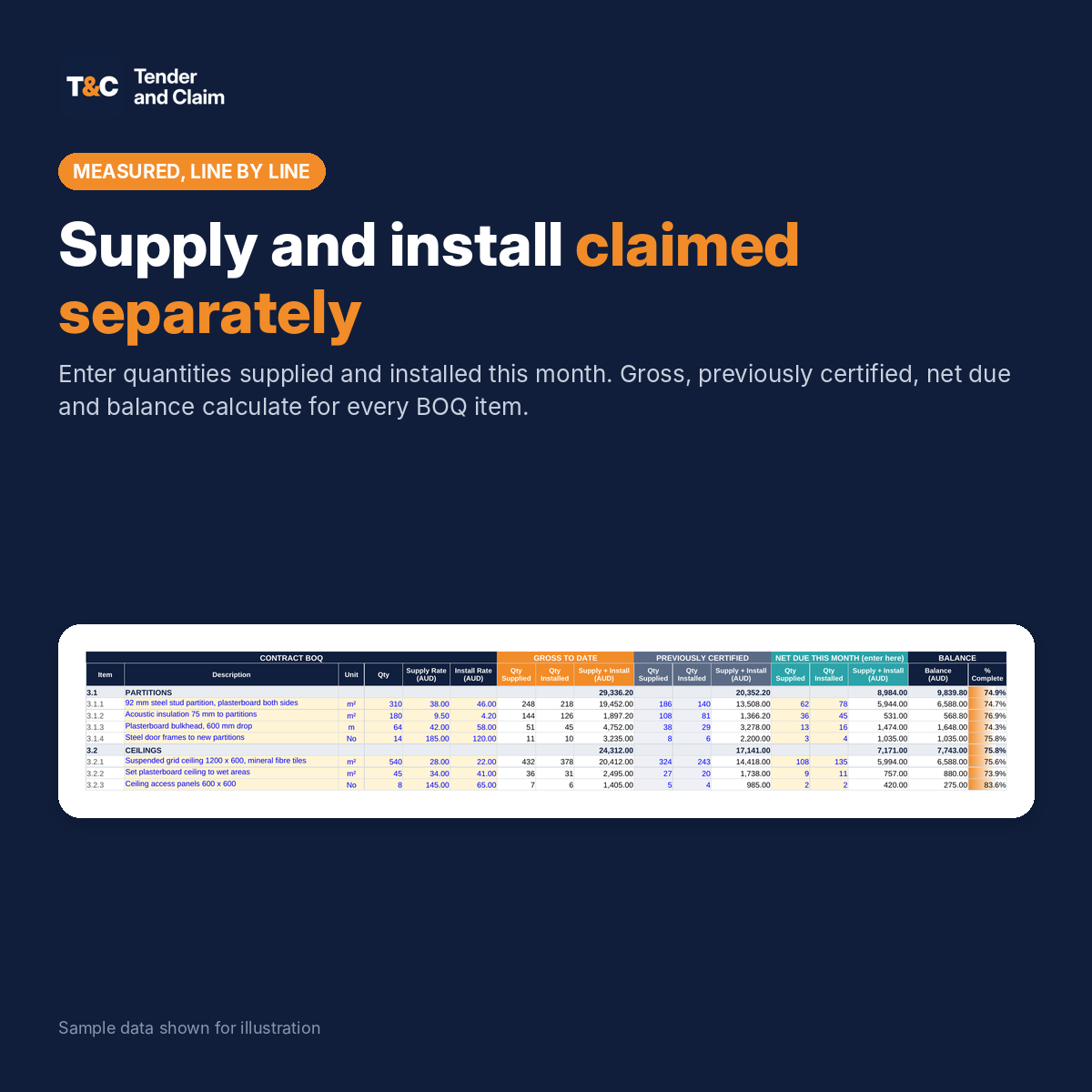
Most claim disputes start with a lump sum that can’t be measured. This certificate claims supply and installation separately on every BOQ line, so everyone can see exactly what has been delivered, what has been installed and what is still to come.
What the payment certificate combines
- Combined BOQ: paste in your own priced BOQ (Preliminaries, 10 bills for your scope, provisional sums and daywork, and an Additional Items bill) and get gross to date, previously certified, net due this month and balance for every line. Quantities supplied and installed are entered separately.
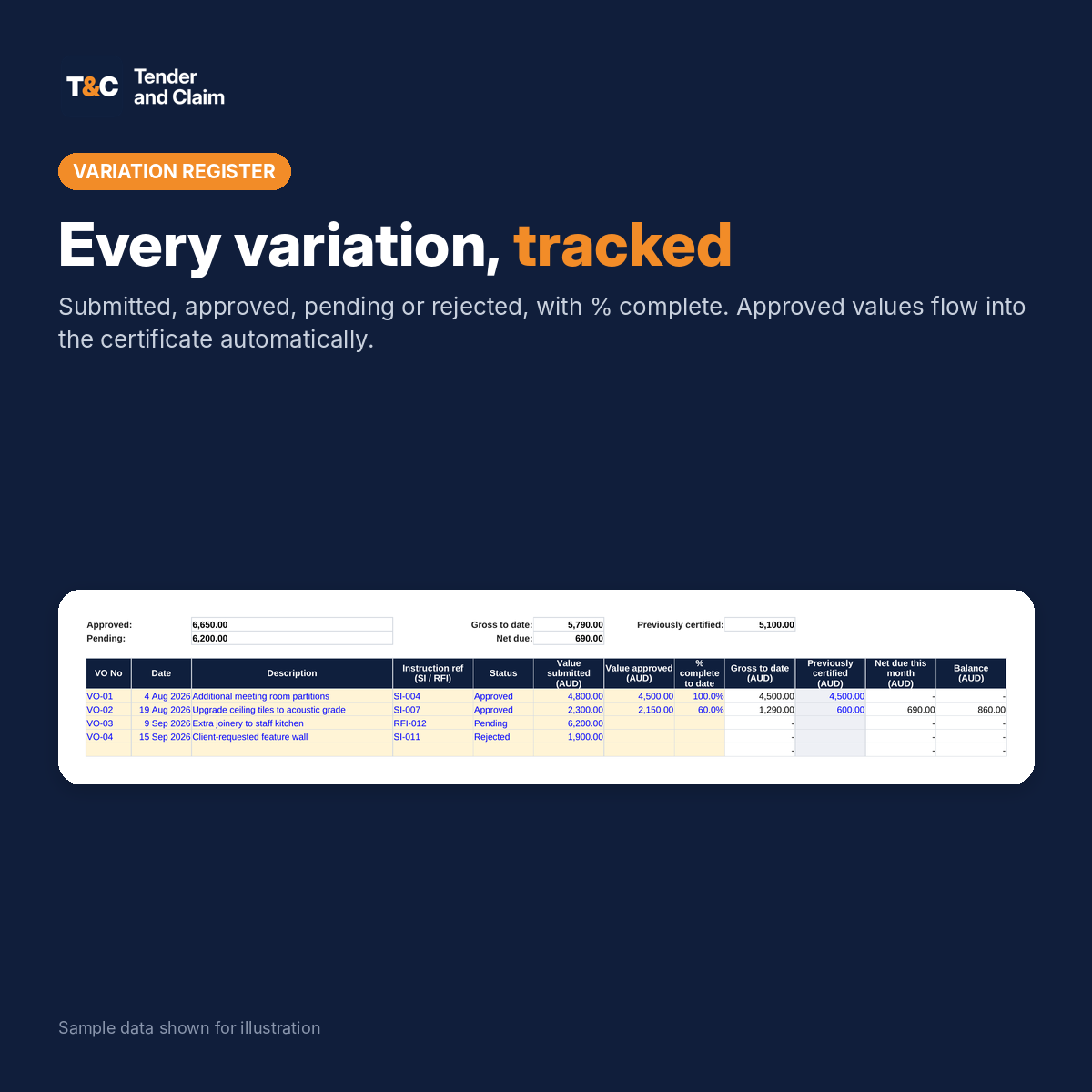
- Variation register: submitted, approved, pending and rejected variations with instruction references and % complete. Approved values carry to the certificate.
- Additions and deductions: advance payment and recoupment, materials on site, adjustment for cost changes, contra charges and other adjustments.
- Retention: set your retention % and a retention cap. Retention to date, previously held and this month are calculated.
- Securities: performance security and advance payment guarantee values shown for information.
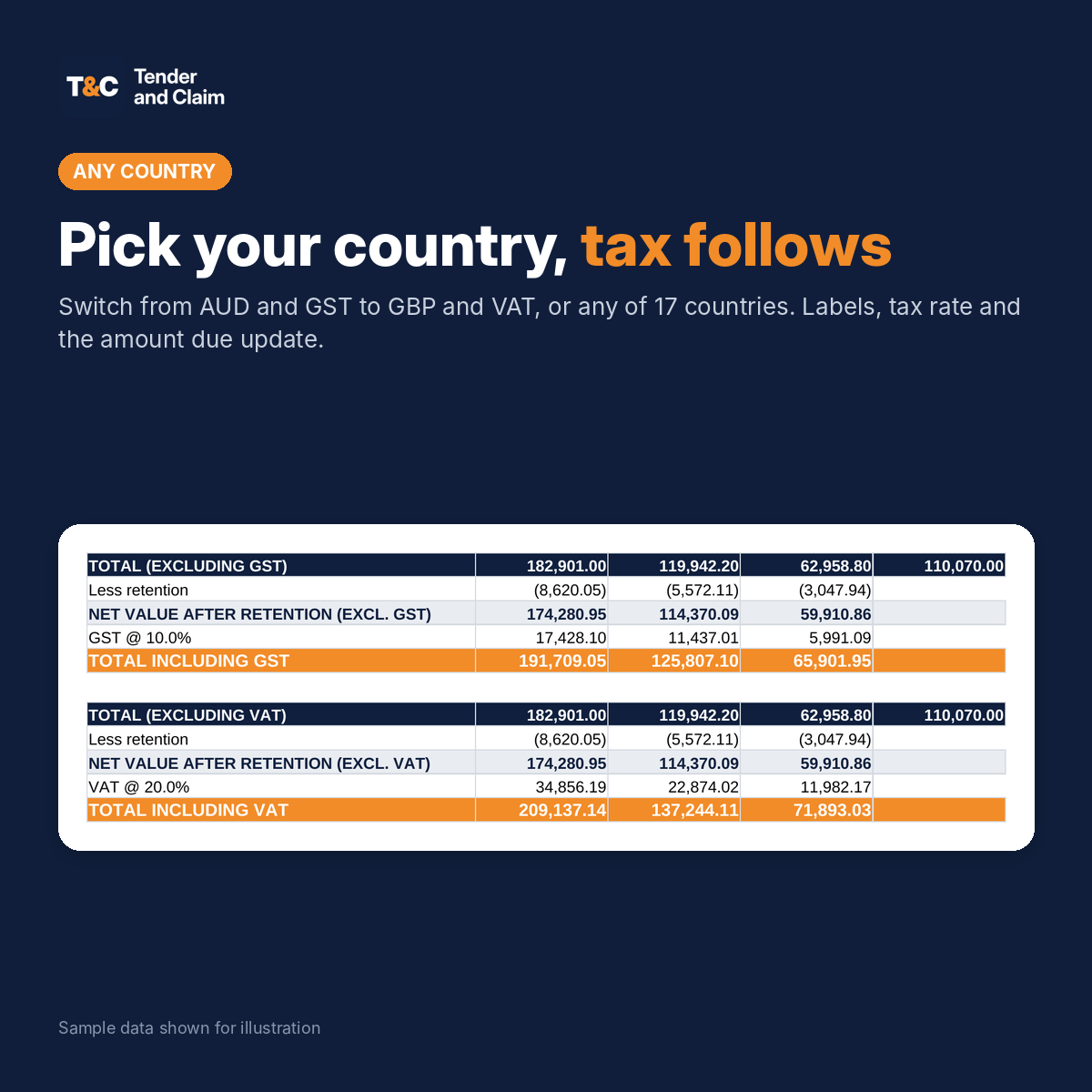
- Tax: GST, VAT or sales tax at the rate for your country.
- Payment certificate: one printable page with project details, certificate number, month ending, totals by bill, the amount due and signature blocks.
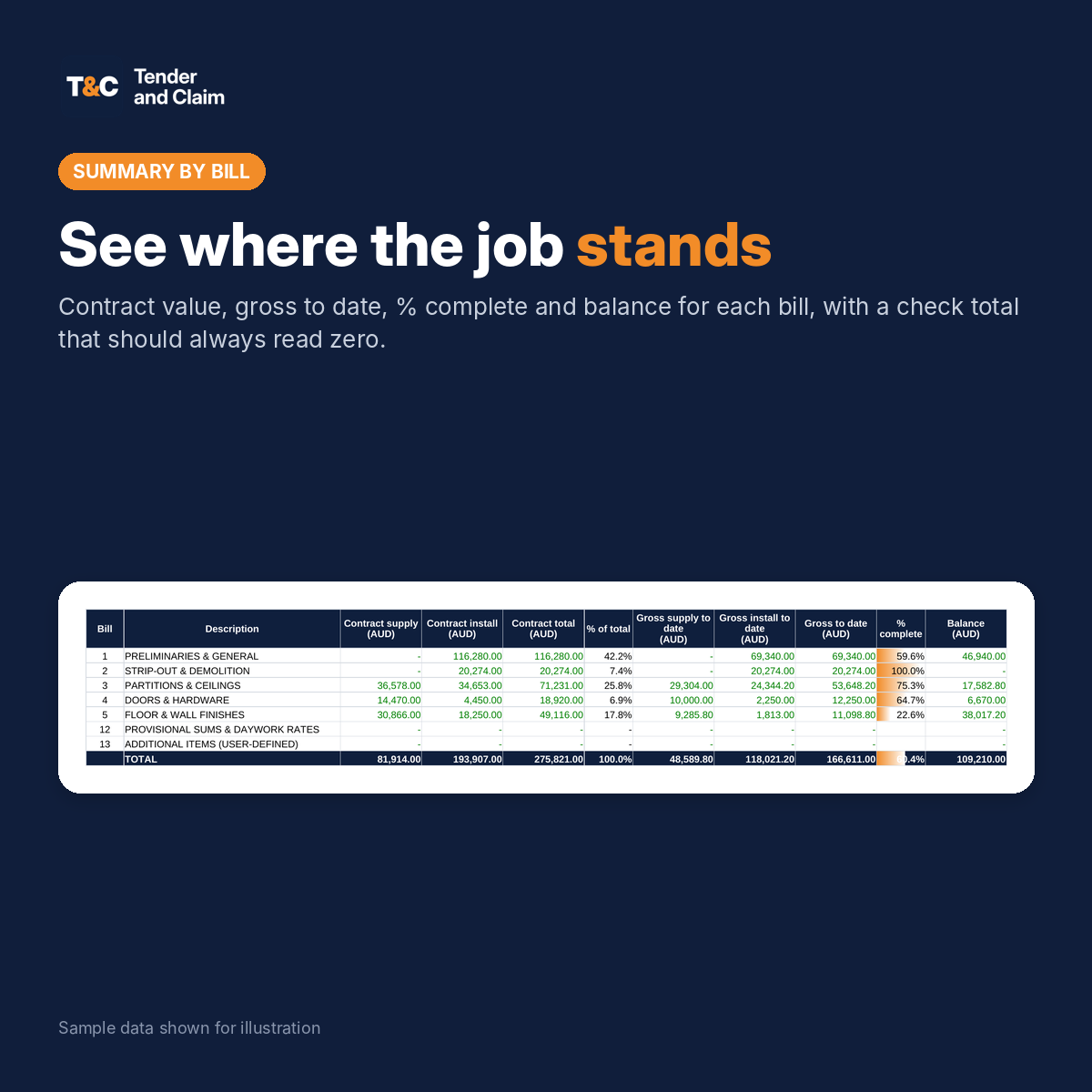
- Summary by bill and by area: contract value, gross to date, % complete and balance, with a check total that should read zero.
- Certificate register: keep a record of every certificate issued on the project.
Built for real claims
- Paste the priced rows from the General Works BOQ straight in. Item numbers, bill titles and descriptions come with them, and the bill titles carry to the certificate and Summary automatically.
- Installed quantities from the General Works Daily Progress Tracker paste into the net due columns.
- Previously certified columns carry the history, so each month only the new quantities are entered.
- Progress you can measure supports extension of time and delay discussions when a project runs late.
- Spare rows in every bill and an Additional Items bill for work not in the original BOQ.
File details
- Microsoft Excel (.xlsx) for Excel 2016 or later, Microsoft 365 and LibreOffice 7 or later. No macros.
- Choose your country: currency labels and tax (GST, VAT or sales tax) update across the file. 17 countries built in, including Australia, South Africa, the UK, the USA and the eurozone.
- Yellow cells are inputs. Formulas on the summary sheets are protected without a password, so they can’t be overwritten by accident.
- Instructions sheet in every file, plus a Read Me PDF with a one-minute quick start.
- Instant download after purchase. Re-download any time from My Account.
- Licensed for use on your own projects. Not for resale or redistribution.
This template is a tool to save you time. It is not legal, quantity surveying or engineering advice. Always check quantities, rates, retention and payment terms against your contract documents.
Reviews
There are no reviews yet.