
Description
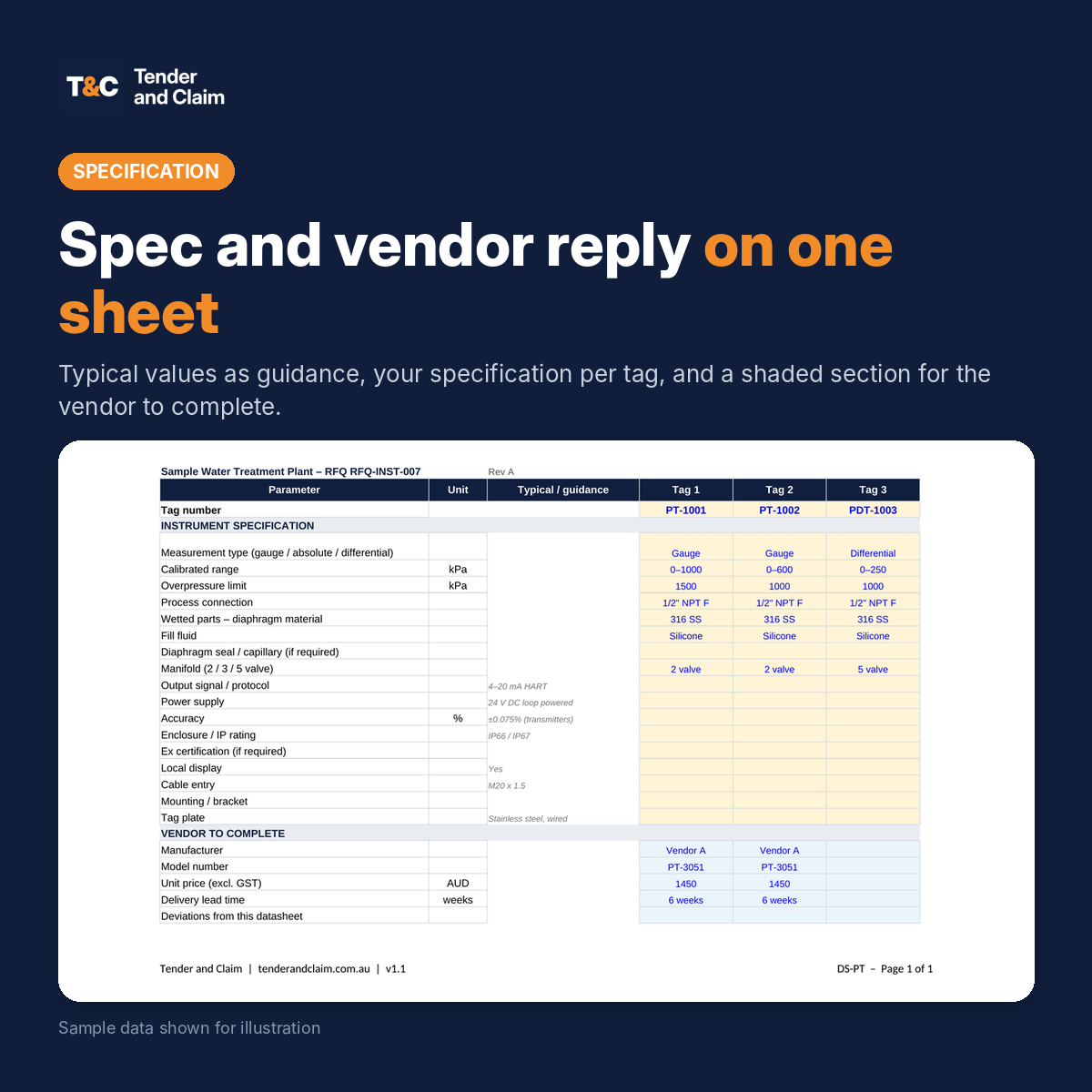
An instrument index and RFQ datasheet template in Excel. List every instrument once in the index, then send out ready-made datasheets for transmitters, flowmeters, level instruments, control valves, on-off valves, switches, gauges and analysers. General data fills in automatically from the index, so you only add the process data and specification. Use it to request quotes for instruments, compare vendor replies, and track datasheet status, prices and lead times for every tag.
Instrument RFQs go wrong when the index, the datasheets and the vendor quotes drift apart. This workbook keeps them in one file, linked by tag number, so every vendor quotes against the same data.
What’s included
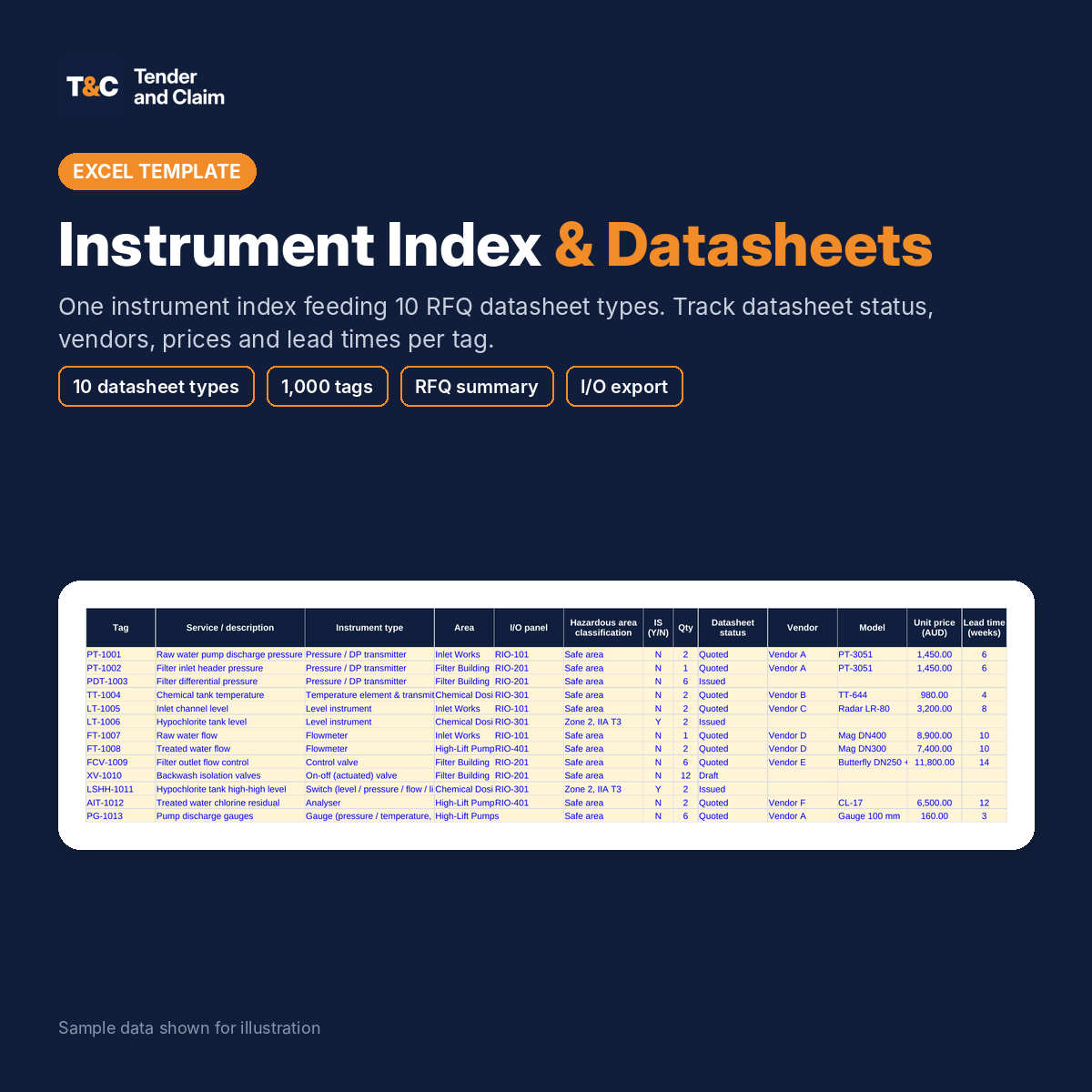
- Instrument index: room for 1,000 tags with service, instrument type, P&ID, line or equipment, area, I/O panel, hazardous area classification, IS flag and quantity, plus datasheet status, vendor, model, unit price, lead time and total price.
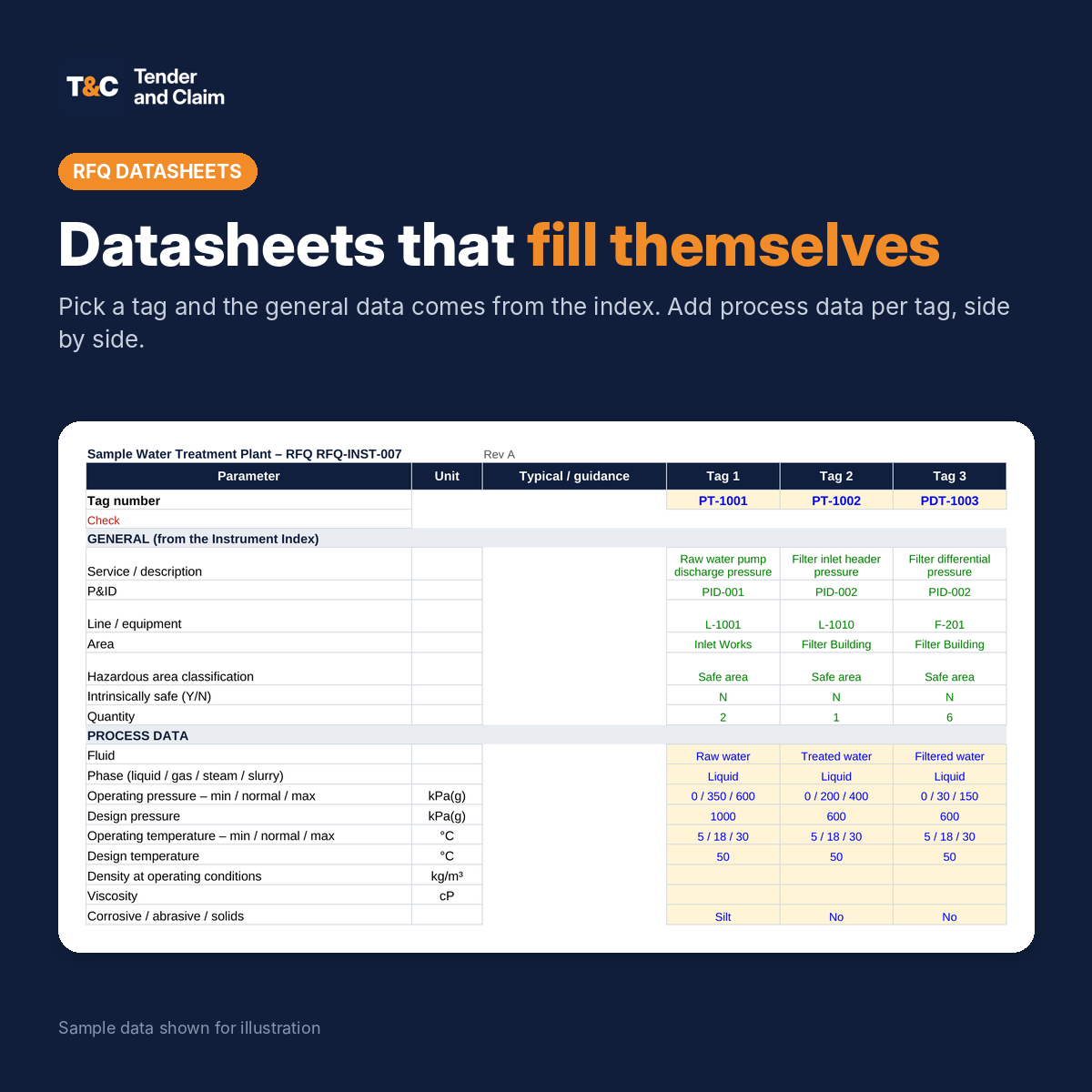
- 10 datasheet types: pressure / DP transmitters, temperature elements and transmitters, level instruments, flowmeters, control valves, on-off (actuated) valves, switches, local gauges, analysers and other instruments. Each sheet holds up to 20 tags side by side.
- On every datasheet: general data from the index, process data (fluid, phase, pressures, temperatures, density, viscosity, solids), instrument specification with typical values as guidance, and a shaded section for the vendor to complete (manufacturer, model, price, lead time and deviations).
- Checks: each datasheet flags tags that aren’t in the index, and the index shows which tags are still missing from a datasheet.
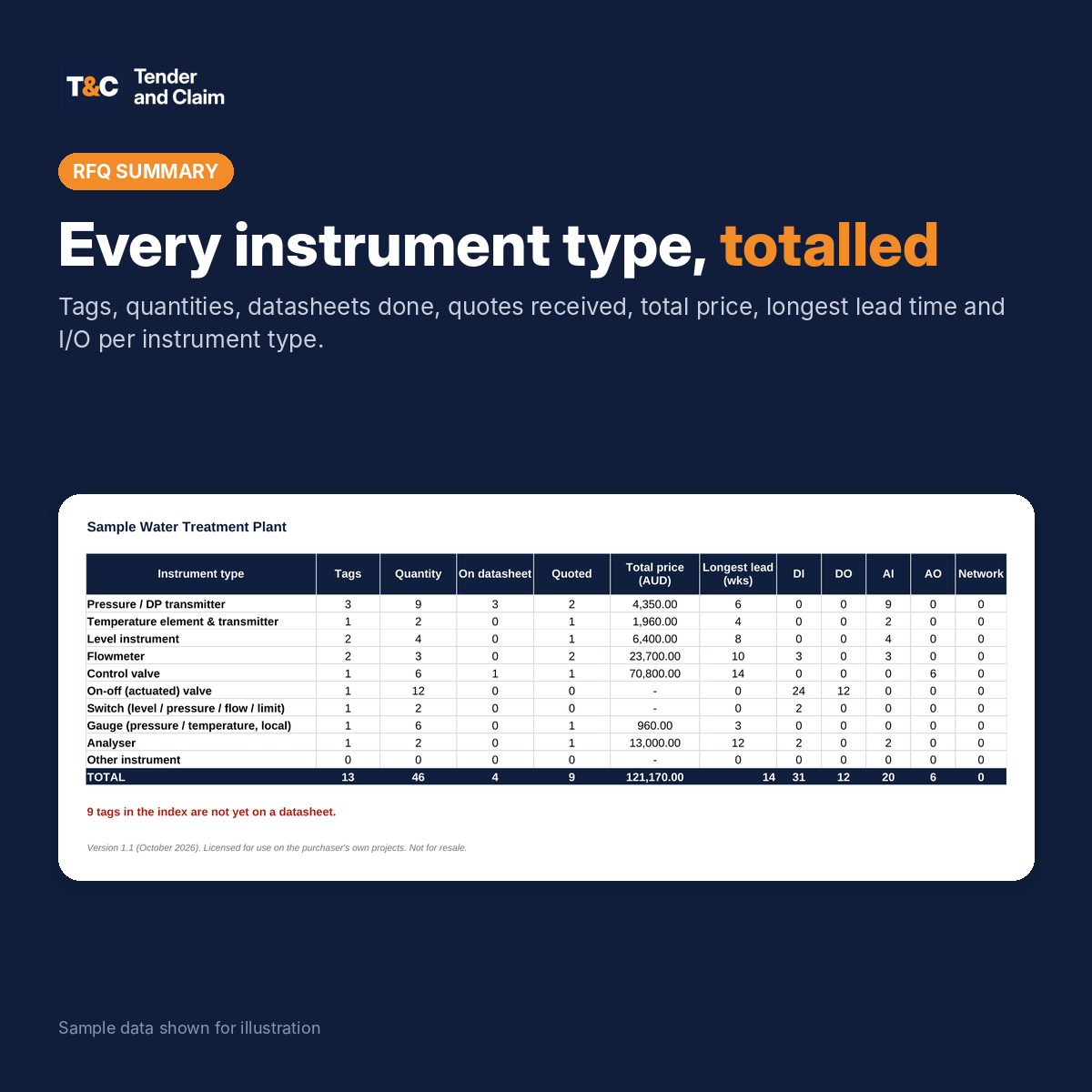
- RFQ summary: tags, quantities, datasheets done, quotes received, total price, longest lead time and I/O points for every instrument type.
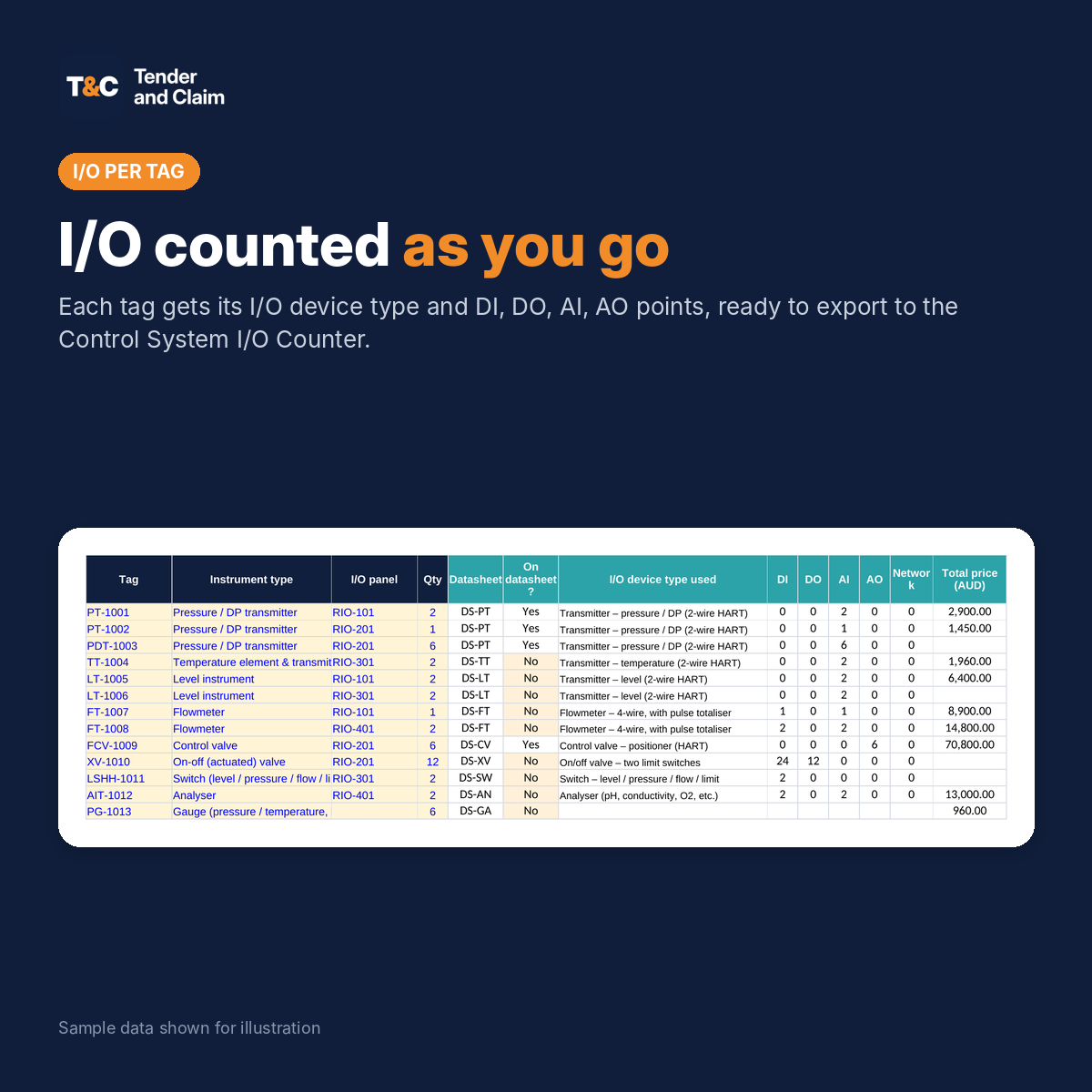
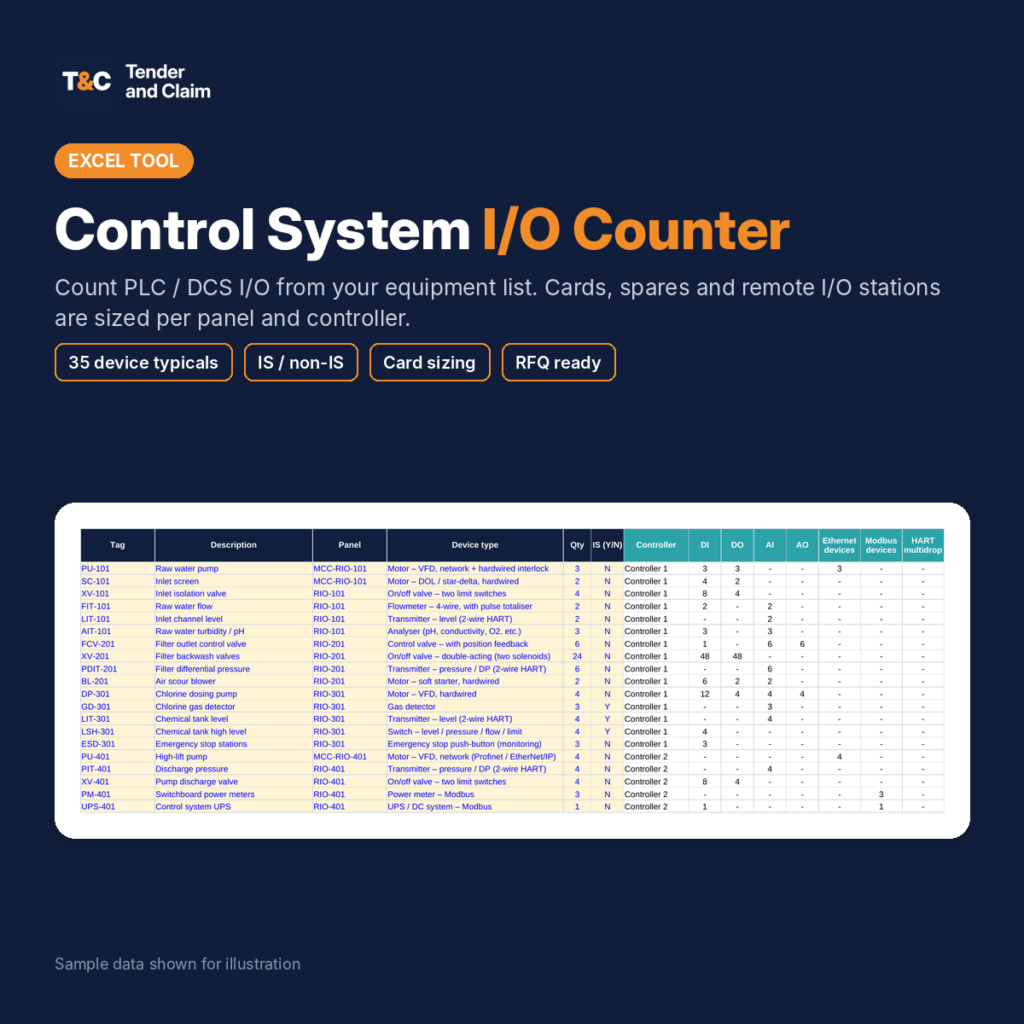
- I/O count: each tag gets an I/O device type and DI, DO, AI, AO and network points, with an export in the exact format of the Tender and Claim Control System I/O Counter.
Built for real projects
- Datasheet status per tag (draft, issued, quoted and so on) shows at a glance where the RFQ stands.
- Copy a column across for identical instruments, then change only the tag.
- Edit the instrument types and default I/O device types on the Setup sheet to suit your project.
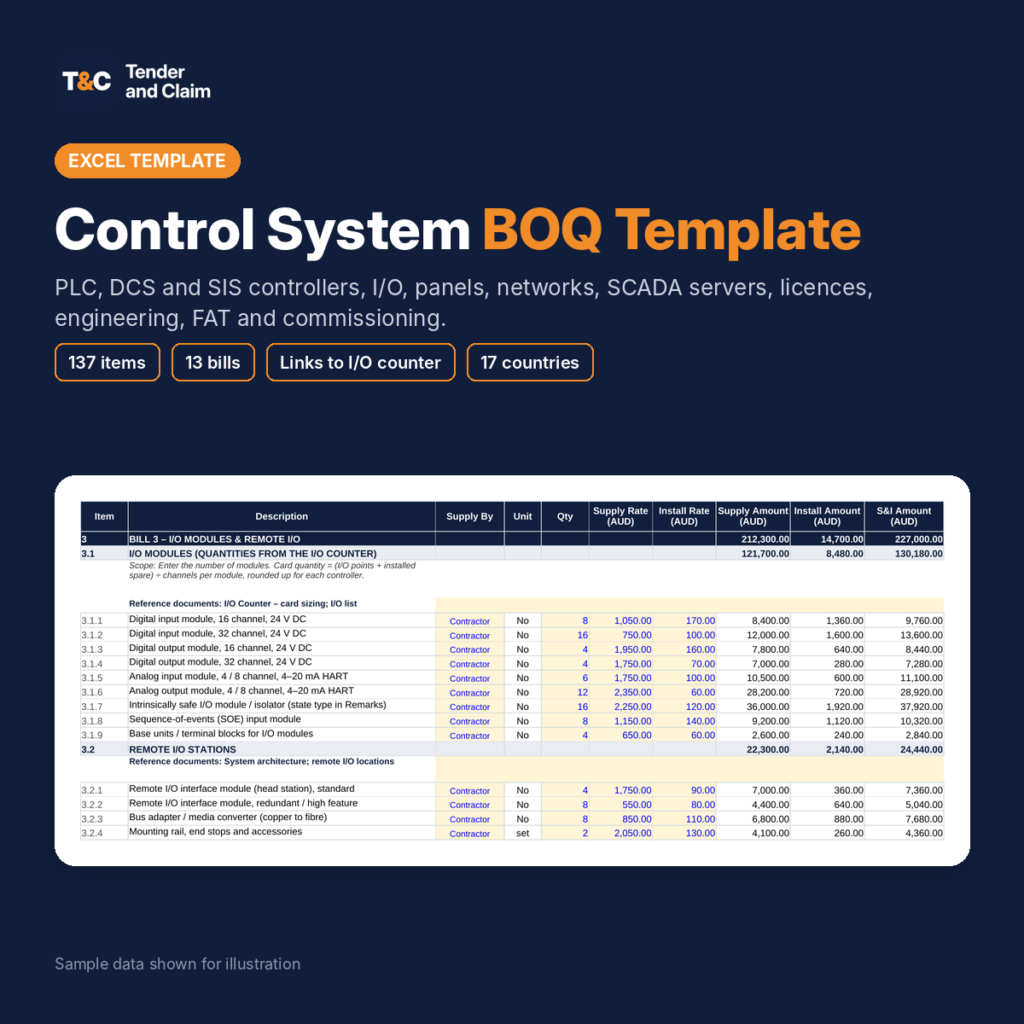
- Pairs with the Instrumentation BOQ for installation, and the I/O Counter for the control system.
File details
- Microsoft Excel (.xlsx) for Excel 2016 or later, Microsoft 365 and LibreOffice 7 or later. No macros.
- Choose your country: currency labels and tax update across the file. 17 countries built in.
- Yellow cells are inputs. Formulas are protected without a password, so they can’t be overwritten by accident.
- Instructions sheet in every file, plus a Read Me PDF with a one-minute quick start.
- Instant download after purchase. Re-download any time from My Account.
- Licensed for use on your own projects. Not for resale or redistribution.
This template is a tool to save you time. It is not engineering advice. Check every datasheet value against your process data, P&IDs, hazardous area dossier and specifications before issuing an RFQ.

Reviews
There are no reviews yet.